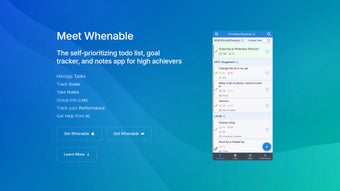

Download Whenable – AI‑Powered Life Assistant, Goal Tracker & Todo List
Overview
Whenable is a web‑based AI life assistant that goes far beyond a traditional todo list. Designed for anyone who wants to align daily actions with long‑term aspirations, the platform lets you rank the five pillars of a balanced life—self‑fulfillment, relationships, finance, career, and health. Once you assign a priority to each pillar, Whenable automatically re‑orders your tasks and goals so the most urgent and significant items surface first.
The AI engine then breaks complex projects into bite‑size steps, turning overwhelming ambitions into clear, achievable milestones. In addition to smart scheduling, Whenable provides visual charts and statistics that reveal performance trends over weeks and months, helping you spot productivity patterns and make data‑driven adjustments. Whether you’re a freelancer juggling multiple client deadlines, a student planning coursework, or simply someone who wants a more intentional day, Whenable offers a personalized roadmap that keeps you focused on what truly matters.
Key Features & AI Capabilities
- Dynamic Pillar Prioritization: Rank self‑fulfillment, relationships, finance, career, and health; the system auto‑adjusts task order based on your chosen importance.
- AI‑Assisted Project Breakdown: Upload a big goal and let the AI generate step‑by‑step tasks, deadlines, and required resources.
- Smart Todo List: Traditional checklist meets predictive ordering; tasks rise or fall in priority as your life balance shifts.
- Progress Charts & Statistics: Interactive dashboards show completion rates, time spent per pillar, and trend lines for continuous improvement.
- Goal‑Tracking Templates: Pre‑built frameworks for common ambitions—financial budgeting, fitness plans, career development, and more.
- Cross‑Device Sync: All data is stored in the cloud, allowing seamless access from any browser on Windows, macOS, Android, or iOS.
- Secure Data Encryption: End‑to‑end encryption protects personal goals, financial info, and health data.
- Regular Updates & Community Feedback Loop: The development team releases monthly enhancements based on user suggestions.
Each feature is built around the central idea of turning abstract aspirations into concrete daily actions. The AI engine continuously learns from your interaction patterns—if you consistently defer health‑related tasks, the system will suggest smaller, more manageable health activities to rebuild momentum. The visual analytics not only celebrate wins but also highlight bottlenecks, making it easy to recalibrate your pillar priorities without second‑guessing. Because Whenable lives in the browser, there’s no heavyweight installation, and updates happen instantly, keeping you on the latest, most secure version without manual effort.
Installation, Usage & Compatibility
Getting started with Whenable is intentionally frictionless. Since it is a web‑application, there is no traditional installer—simply visit whenable.com, click “Sign Up,” and create a free account using your email or social login. After confirming your email, you are greeted by a brief onboarding wizard that walks you through setting your five life pillars, assigning initial priority scores, and importing any existing todo lists from other tools (CSV, Trello, or Asana). The wizard also demonstrates the AI breakdown feature by prompting you to input a sample project—e.g., “Launch a personal blog”—and watching the AI generate a task hierarchy in real time.
Once onboarded, the main dashboard presents a clean, responsive interface: a left‑hand navigation pane for Pillars, a central board displaying today’s prioritized tasks, and a right‑hand analytics panel for charts. Adding a new task is as simple as typing into the “Add Task” field, selecting the associated pillar, and setting an optional deadline. The AI can be invoked by clicking the “Smart Split” button next to any high‑level goal, instantly producing subtasks, estimated effort, and suggested sequencing.
Because Whenable runs in any modern browser, it supports Windows 10/11, macOS Ventura and later, Chrome OS, as well as mobile browsers on Android 12+ and iOS 15+. For users who prefer a native feel, Whenable offers progressive web‑app (PWA) shortcuts that can be added to the desktop or home screen, delivering offline caching for read‑only access when an internet connection is unavailable.
Security‑wise, the platform uses HTTPS everywhere, and all user data is encrypted at rest using AES‑256. Two‑factor authentication (2FA) is optional but recommended for anyone storing sensitive financial or health information. Regular backups occur nightly, ensuring that even in the unlikely event of a server issue, your progress remains intact.
Pros, Cons, Frequently Asked Questions & Final Verdict
Pros
- AI‑driven task prioritization adapts to changing life priorities.
- Comprehensive life‑pillar system keeps personal growth in focus.
- Visual analytics turn raw data into actionable insights.
- Web‑based with PWA support – no heavy installation required.
- Strong security with encryption and optional 2FA.
- Free tier available; premium plan adds unlimited AI splits and advanced reporting.
Cons
- Relies on an internet connection for full functionality.
- AI suggestions may need manual refinement for highly specialized projects.
- Learning curve for users unfamiliar with pillar‑based planning.
- Limited offline editing; changes sync only when back online.
Frequently Asked Questions
-
Is Whenable free to use?
Whenable offers a robust free tier that includes core pillar prioritization, basic AI task splitting, and standard analytics. A premium subscription unlocks unlimited AI splits, advanced reporting, and priority support.
-
Can I import tasks from other todo apps?
Yes. Whenable supports CSV imports and direct integration with Trello, Asana, and Todoist via API keys, allowing a smooth migration of existing tasks.
-
How does the AI prioritize my tasks?
The AI evaluates each task against the weight you assign to the five life pillars, the task’s deadline, and its estimated effort. It then reorders the daily view so the most urgent and high‑impact tasks appear at the top.
-
Is my data safe?
All data is encrypted in transit (TLS) and at rest (AES‑256). Two‑factor authentication is optional, and nightly backups protect against data loss.
-
Can I use Whenable on my phone?
Absolutely. The responsive web design works on Android and iOS browsers, and you can install it as a Progressive Web App for a native‑like experience.
Conclusion & Call to Action
Whenable stands out in the crowded productivity market by tying daily tasks to a holistic view of personal fulfillment. Its AI‑driven engine removes the guesswork from project planning, while the pillar system ensures you never lose sight of the bigger picture. For anyone who wants a free, secure, and constantly evolving tool that grows with their ambitions, Whenable is a compelling choice. Ready to transform scattered to‑dos into a purposeful life roadmap? Download Whenable now and start your journey toward balanced achievement today.



.png)



